


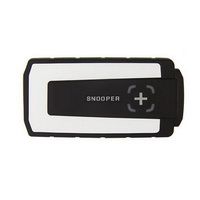
V2021.01 New Design Multidiag Pro+ for Cars and Trucks with OBD2 (No Bluetooth)
- Competitive price.
- Latest software version: V2021.01
- Supports multiple languages: English, Czech, Dansk, Dutch, Finnish, German, French, Greek, Hungarian, Italian, Norwegian, Polish, Portuguese, Romanian, Russian, Serbian, Spanish, Suomi, Swedish, Turkish
- Supports most vehicles: Full system coverage for BMW, VAG, Ford, Peugeot, Citroen, Renault, Vauxhall, Rover, Fiat, Volvo, Mazda, Mercedes, Smart, Nissan, Subaru, Toyota, Hyundai, and more.
- Compatible with Windows 7, 8, and XP systems; not compatible with Windows Vista.
- Supports multiplexer function with 2xHS CAN (ISO 11898-2), SW CAN (SAE J2411), K/L (ISO 9141-2), RS485 (J1708), TTL, SPI, analog input, and 5V output.
Important Notice
- Serial number: 100251
- Do not install anti-virus software on your computer—it may damage the software. You must install Multidiag Pro for cars and Multidiag Pro for trucks separately.
- When installing Multidiag Pro CDP for cars, select DS150E (NEW VCI).
- When installing Multidiag Pro CDP for trucks, select DS150E Heavy Truck (NEW VCI).
- Disconnect your computer from the network when activating the software.
Multidiag Pro+ Functions
-
Multi Colour Indicator
With the multi-colour indicator on tcscdp, you have full control of the diagnostic process. Different colors and sounds communicate the status, and the placement of the indicator allows visibility from a distance. For example, if the indicator alternates between blue and green, the tcsCDP is in communication with the vehicle control unit.
-
Flight Recorder
The flight recorder function lets you record parameters in real time while driving. During recording, you can press a button to highlight a specific error for later investigation. The tcsCDP has built-in memory, eliminating the need to carry a computer. Note: Memory card not included in package.
-
Connector with LED
To easily locate the diagnostic connector—even in dark or hard-to-reach areas—the 16-pin connector includes an LED light. Its design ensures the light functions even when using an adapter cable for vehicles without a standard 16-pin diagnostic socket.
-
Voltage Check
When connected to a vehicle, the unit checks the battery voltage and automatically adjusts to the vehicle’s 12V or 24V system. If voltage becomes too high or too low, tcsCDP alerts you with sound, light, and a battery icon in the diagnostic software.
-
Chassis Number (VIN)
The CARS software includes a smart function that reads the vehicle’s chassis number (VIN) to automatically select the correct model, year, and—where commonly available—engine code.
-
Intelligent System Scan (ISS)
ISS scans all vehicle systems and displays stored fault codes, providing a quick overview of the vehicle’s condition. After the scan, you can select a specific control system for deeper analysis.
-
Intelligent System Identification (ISI)
ISI automatically identifies and selects the correct controller type in the vehicle, ensuring accurate diagnostics with the proper parameters.
-
Report Function
This function shows possible adaptations and adjustments for a specific vehicle—even without the vehicle present. Guided help texts support effective planning and execution, especially in complex scenarios.
-
OBD Functions
Multidiag Pro+ uses unique multiplexer technology to work with all vehicle types, regardless of voltage or communication standards. For vehicles without a standard 16-pin connector, certified and customized adapter cables and kits are available.
-
Help Function
For most OBD functions, such as adjustments and programmings, there are detailed instructions and help texts to assist you in your diagnosis work. You will find step by step information about prerequisites, preparation and implementation of various functions; making even the most complex function simple to perform.
Package Contents
- 1 pc × Multidiag Pro+ Interface
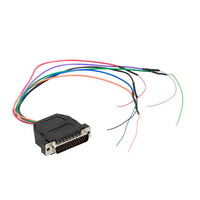
- 1 pc × LED OBD2 Cable
- 1 pc × USB Cable
- 1 pc × Software CD
Previous: New I-2015 Multi-Diag Access J2534 Pass-Thru OBD2 Device
Next: V18.1 WIFI Version PIWS2 Tester II Diagnostic Tool PiwsII for Porsche With Panasonic CF30 Laptop
 US$98.00
 US$25.00
 US$89.00
 US$16.90
 US$349.00
 US$39.99
 US$1,699.00
 US$219.00
 US$407.55
 US$1,139.05
 US$149.00
 US$119.00


- US$98.00
 US$41.90
 US$649.00
 US$9.99
 US$44.90
 US$829.00
 US$219.00
 US$14.90
 US$42.75
 US$17.99
 US$39.90
 US$9.99


